Most of us use the internet every single day. We use it to check the weather, watch videos, talk to friends, and learn new things. It feels almost like magic—you tap a screen, and suddenly, information from the other side of the world appears in front of you.
But the internet isn’t magic. It is a massive, physical system made of cables, computers, and clever rules. Understanding how it works doesn’t require a degree in science; it just requires a bit of curiosity. In this article, we will pull back the curtain and explain exactly how the internet brings the world to your fingertips.
What Is the Internet?
To understand the internet, think of a small neighborhood where every house is connected by a string-and-can telephone. If you want to talk to your neighbor, you use the string. Now, imagine if every house in every city, in every country, was connected by those strings.
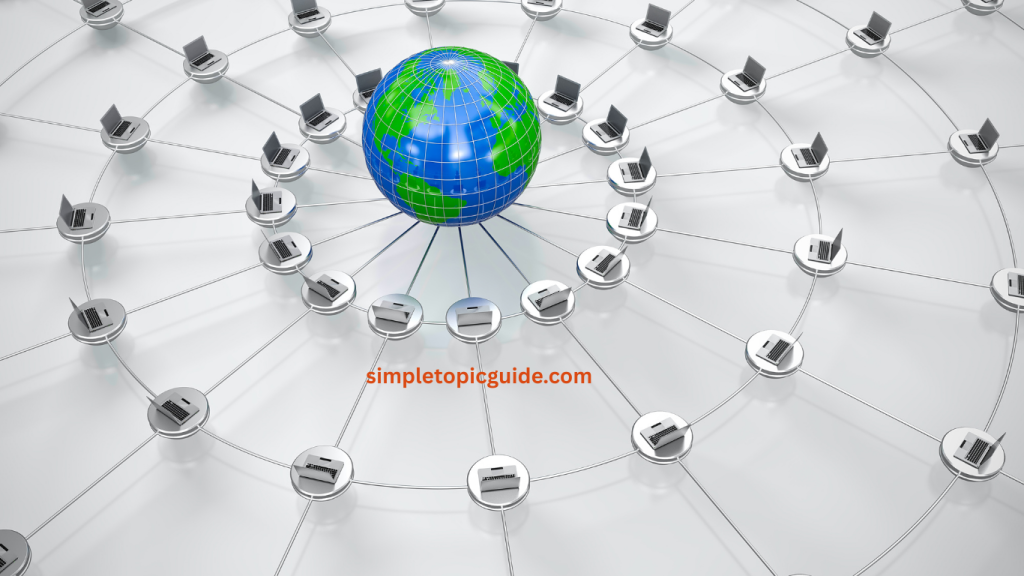
That is the internet. It is a “network of networks.” It is a global collection of billions of computers, tablets, and phones that are all linked together. When you are “online,” it simply means your device is plugged into this giant global web, allowing you to “talk” to other devices.
How Devices Connect to the Internet
Before you can see a website, your device (like your phone or laptop) needs a way to join the global network. This usually happens in one of two ways:
1. Wires and Cables
Deep under the ground and even across the bottom of the ocean, there are thousands of miles of heavy-duty cables. These cables are the “highways” of the internet. If you have a computer at home plugged into a wall socket with a wire, you are directly connected to this highway.
2. Invisible Signals (Wi-Fi and Data)
Most of us use Wi-Fi or “mobile data.” Even though you don’t see a wire, the connection is still physical. Your phone sends an invisible radio signal to a small box in your house (a router) or a tall tower in your neighborhood. That box or tower is then plugged into the physical cables we mentioned earlier.
Think of it like a cordless house phone. The handset is wireless, but the base station is still plugged into the wall.
What Happens When You Open a Website?
Imagine you want to visit a friend. You need their address, you get in your car, and you travel the roads until you reach their front door. Opening a website works almost exactly the same way.
- The Address: You type a website address into your device. Every website has a unique “home address” consisting of numbers, but because humans are better at remembering words, we use names like
www.example.com. - The Request: Your device sends out a digital “letter” that says, “I would like to see the homepage of this website.”
- The Journey: This request travels through your Wi-Fi, into the cables in the street, and across the world until it finds the specific computer where that website lives.
- The Delivery: That computer receives your request, packs up the images and text of the website into little digital “envelopes,” and sends them back to you.
What Are Servers? (Explained Simply)
You might have heard the word “server” and thought it sounded like a complicated piece of machinery. In reality, a server is just a computer.
The difference is that your laptop is a “personal computer” used for your tasks. A server is a powerful computer that stays turned on 24 hours a day, sitting in a special room, waiting for people to ask it for information.
Think of a library. You are the “client” (the person asking for a book), and the librarian is the “server.” The librarian’s only job is to sit there and wait for people to come in and ask for information. When you ask for a specific book, the librarian finds it and hands it to you. On the internet, a server “serves” you the website you asked for.
What Browsers Do
To see the internet, you use a special program called a browser. Think of the browser as a translator.
Websites are not actually stored as pictures and text. They are stored as long lists of instructions. If you looked at a website’s “raw” form, it would look like a jumble of symbols and words that make no sense to most people.
The browser’s job is to read those instructions and turn them into something you can understand. It sees a instruction that says “Put a blue box here” and “Put a photo of a cat there,” and it draws it on your screen. Without a browser, the internet would just be a giant pile of unreadable notes.
How Information Travels
This is the most amazing part. When a server sends you a website or a video, it doesn’t send it as one big, heavy file. If it did, and a tiny error happened during the journey, the whole file would be ruined.
Instead, the internet uses “Packets.”
Imagine you want to send a giant Lego castle to a friend in another country. If you send the whole castle assembled, it will likely break. Instead, you take the castle apart, put the individual bricks into hundreds of small envelopes, and number them. You mail the envelopes separately. Some might go by plane, some by truck. They might arrive at different times or in a different order.
When your friend receives all the envelopes, they look at the numbers and put the castle back together.
The internet does this with information:
- Your video is broken into thousands of tiny digital packets.
- Each packet finds the fastest path through the global cables.
- Your computer catches all the packets and puts them back together in the blink of an eye.
Why the Internet Is Important in Daily Life
The internet has changed the way we live because it has removed the barriers of time and distance.
- Learning: You can learn a new language, how to cook, or how to fix a leaky pipe by accessing information created by experts thousands of miles away.
- Connection: Families can see each other’s faces in real-time through video calls, even if they live on different continents.
- Convenience: We can pay bills, book appointments, and look up bus schedules without leaving our homes.
- Work: Many people can now do their jobs from anywhere, allowing them to spend more time with their families and less time sitting in traffic.
Basic Online Safety Awareness
Because the internet connects us to everyone, it is important to treat it like a busy city. Most people are friendly, but it is always wise to keep your “front door” locked.
1. Use Strong Locks (Passwords)
A simple password is like a lock that can be opened with a paperclip. Use long passwords with a mix of letters and symbols to keep your “digital house” safe.
2. Be Careful Who You Talk To
Just because someone has a nice profile picture doesn’t mean they are who they say they are. Be cautious about sharing personal details like your home address or phone number with strangers.
3. Don’t Click Every Link
If you get a message saying you won a prize or that your bank account is locked, don’t rush to click the link. Scammers often use “urgent” messages to trick people. When in doubt, go to the official website yourself by typing the address into your browser.
4. Privacy is Permanent
Once you post a photo or a comment online, it is very hard to take it back. Think of the internet as writing in permanent marker—be sure you are happy with what you’ve written before you hit “post.”
Conclusion
The internet is one of the most incredible inventions in human history. It is a giant, physical web of cables and computers that allows us to share the entirety of human knowledge in seconds.
By understanding that the internet is made of connections (cables and signals), destinations (servers), translators (browsers), and deliveries (packets), the “magic” of the screen becomes a clear, logical process. As you continue to use the internet, remember to stay curious, keep learning, and always keep your digital “doors” locked for safety..
Written by: Muhammed Shafeeq
Role: Educator & Content Writer